Multi-account support
Several accounts can be signed in at once in a single browser session. Each keeps its own JMAP session and its own cached state, so switching between them fetches nothing.
There used to be a hard cap of five. It was never really ours: each account holds a push stream open, and HTTP/1.1 browsers only allow about six connections per origin. On an HTTP/2 server those streams multiplex over one connection, so the cap is gone. On HTTP/1.1 the browser's connection pool still sets the ceiling, at roughly six streams across all accounts on the same origin. Bulwark reads the protocol from the initial navigation's timing entry, so a deployment behind an HTTP/2 proxy is recognised without configuration, and it caps the number of live push streams per tab so many logins can't starve ordinary requests.
Requirements
Multi-account needs a session secret so per-account credentials can be persisted encrypted across browser restarts (Bulwark Lite keeps them in the browser instead, as Stalwart refresh tokens, and needs no secret). Bulwark generates one on first start and keeps it in the admin state directory. To set your own:
SESSION_SECRET=your-32-char-secret-here
For Docker / Kubernetes secret mounts, use SESSION_SECRET_FILE instead:
SESSION_SECRET_FILE=/run/secrets/session_secret
Adding an account
- Click your avatar in the bottom-left to open the account switcher.
- Click Add account (also available as a button on the navigation rail).
- Sign in with the new account's credentials. Both Basic Auth and OAuth are supported, and accounts can use different authentication methods.
- The new account is added and becomes active.
Switching accounts
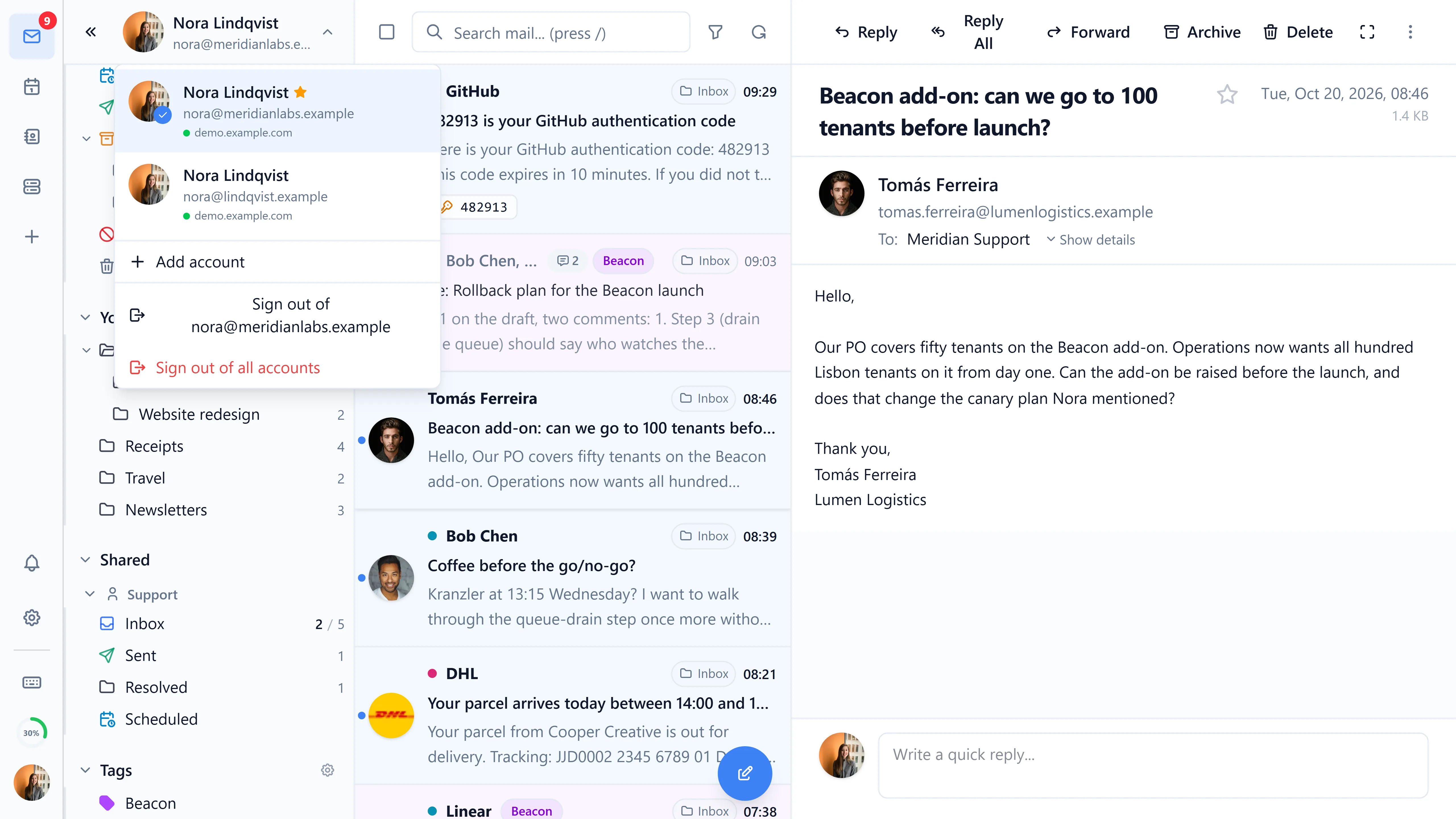
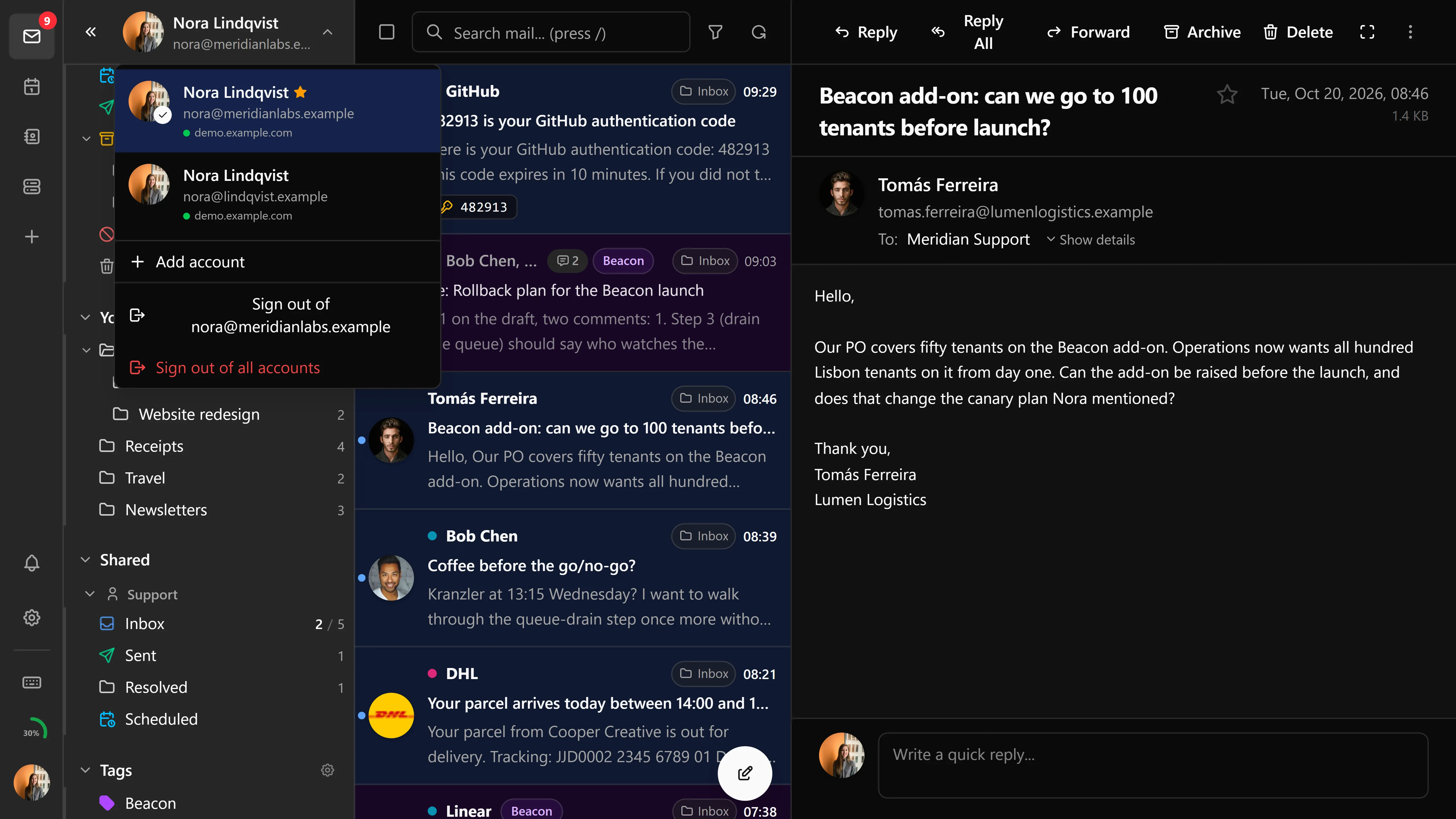
Click any account in the account switcher to switch instantly. Per-account state (mailboxes, contacts, calendar, filters, identities) is cached in memory so the switch is immediate. If a per-account store is empty (first switch in a session), it's lazy-loaded on demand.
Per-account state
Each account maintains its own:
- JMAP session and authentication tokens
- Mailbox tree, email cache, and unread counts
- Contacts and address books
- Calendars, events, and tasks
- Files (FileNode tree, recent files, favorites)
- Sieve filters, vacation responder, identities, and templates
- S/MIME certificates and per-account key isolation
- Settings (when settings sync is enabled, settings are scoped per account)
OAuth refresh tokens are stored encrypted in httpOnly cookies, scoped per account.
Default account
You can mark one account as the default. The default account loads on initial sign-in and is the fallback target for the unified inbox. Set the default from the account switcher.
Unified inbox
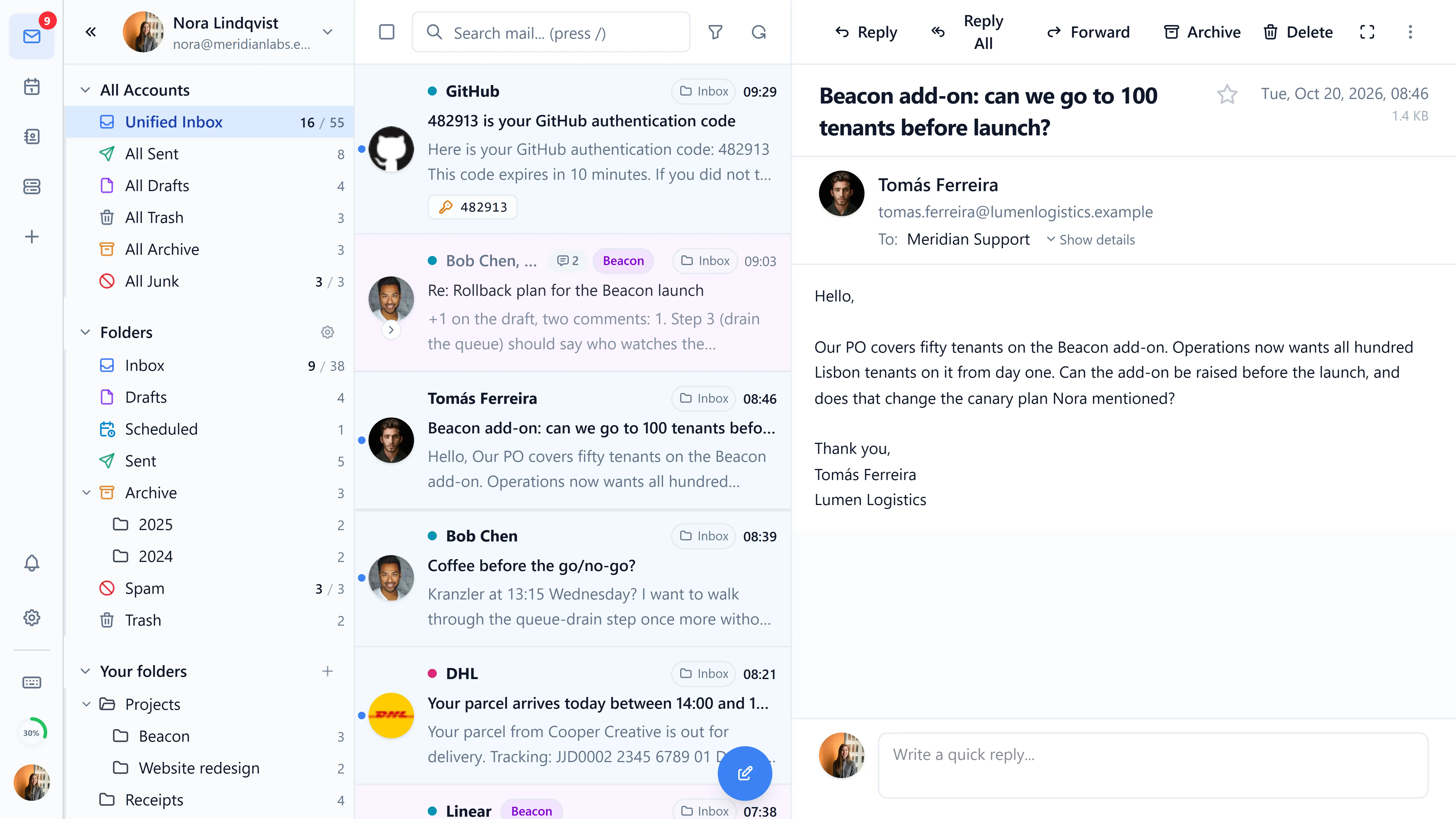
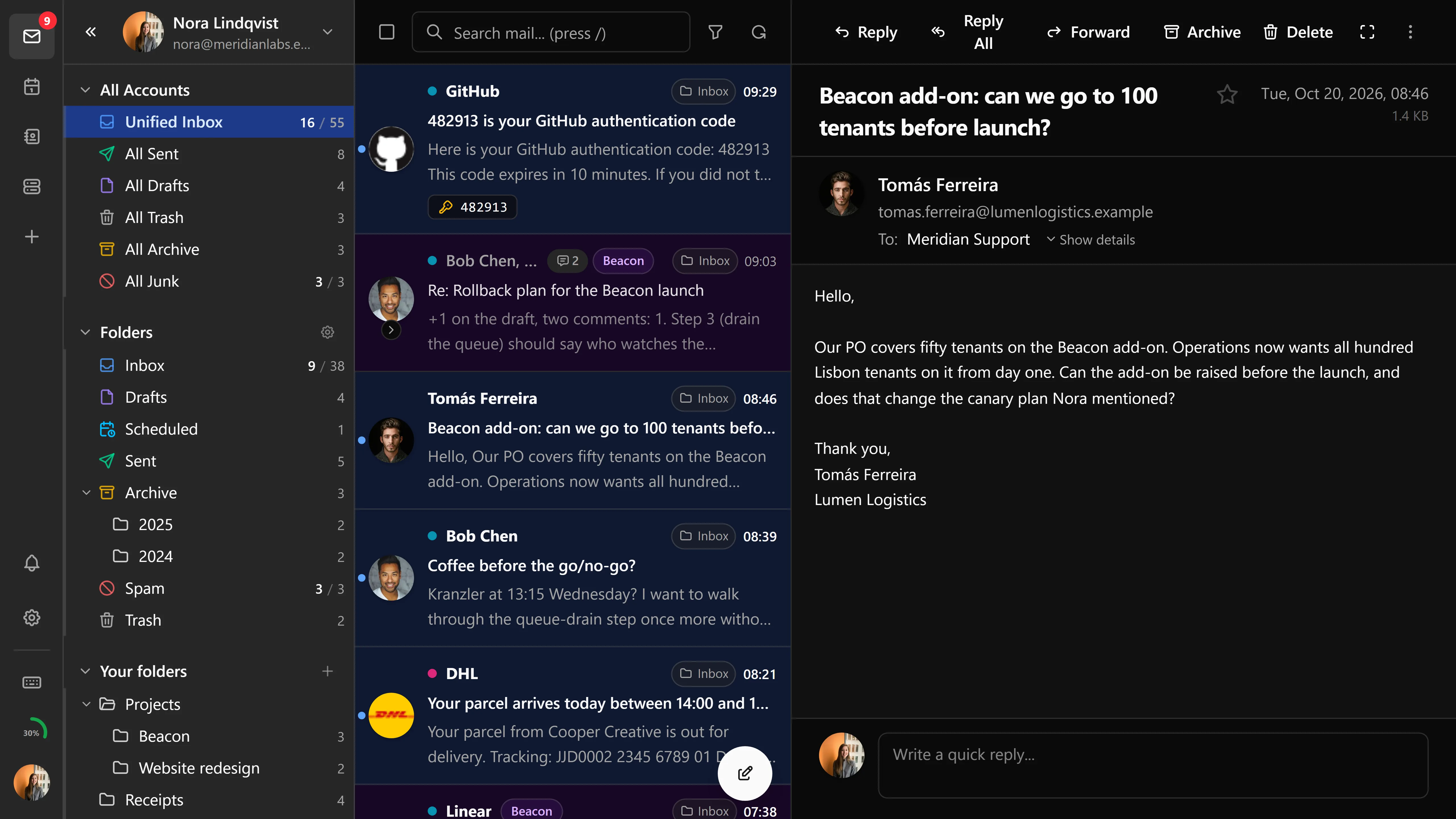
A unified mailbox view aggregates new mail from every connected account into a single list. Each row is annotated with the source account so you always know which mailbox an email lives in. The unified inbox is toggleable from the sidebar.
Shared folders
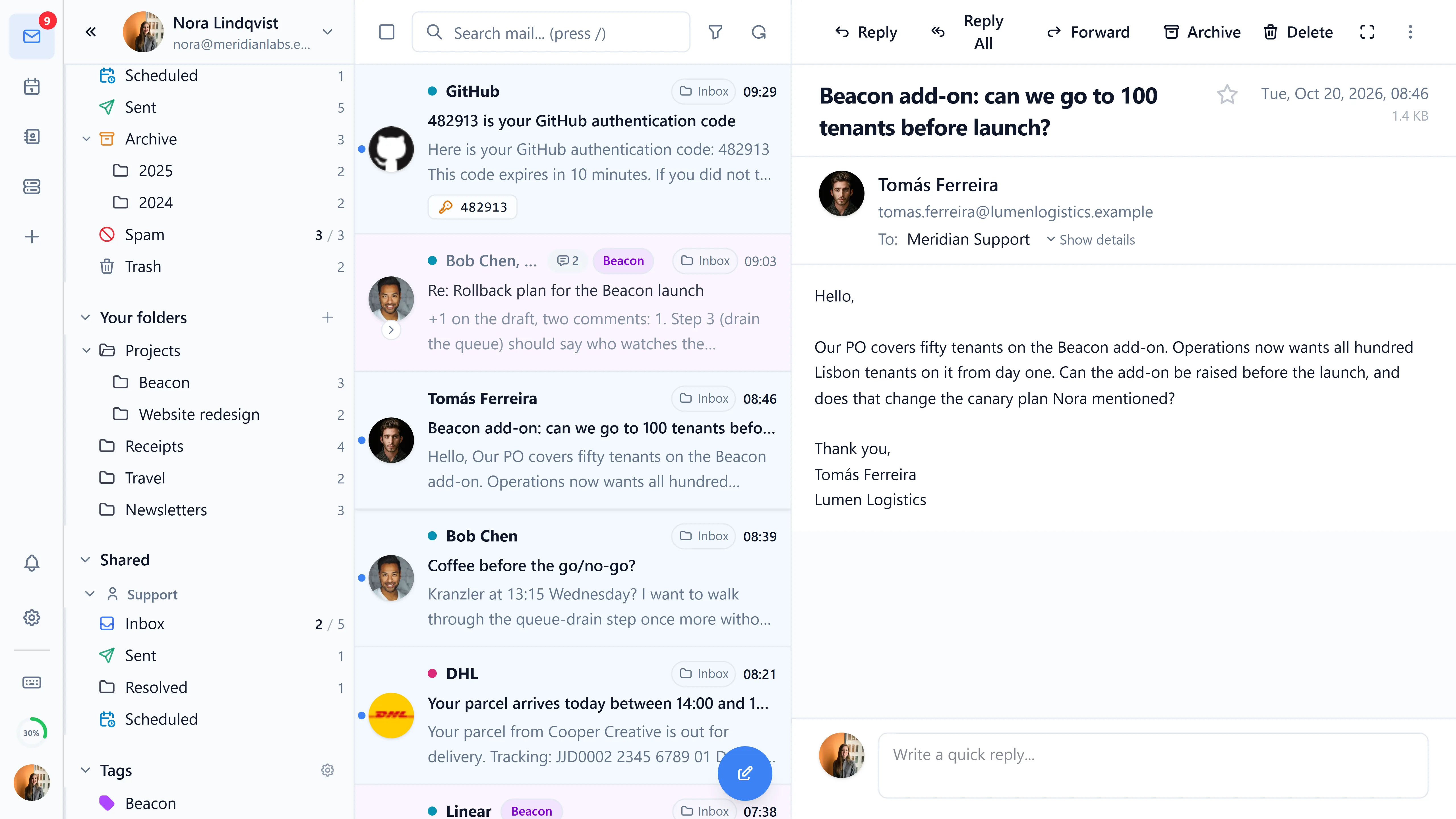
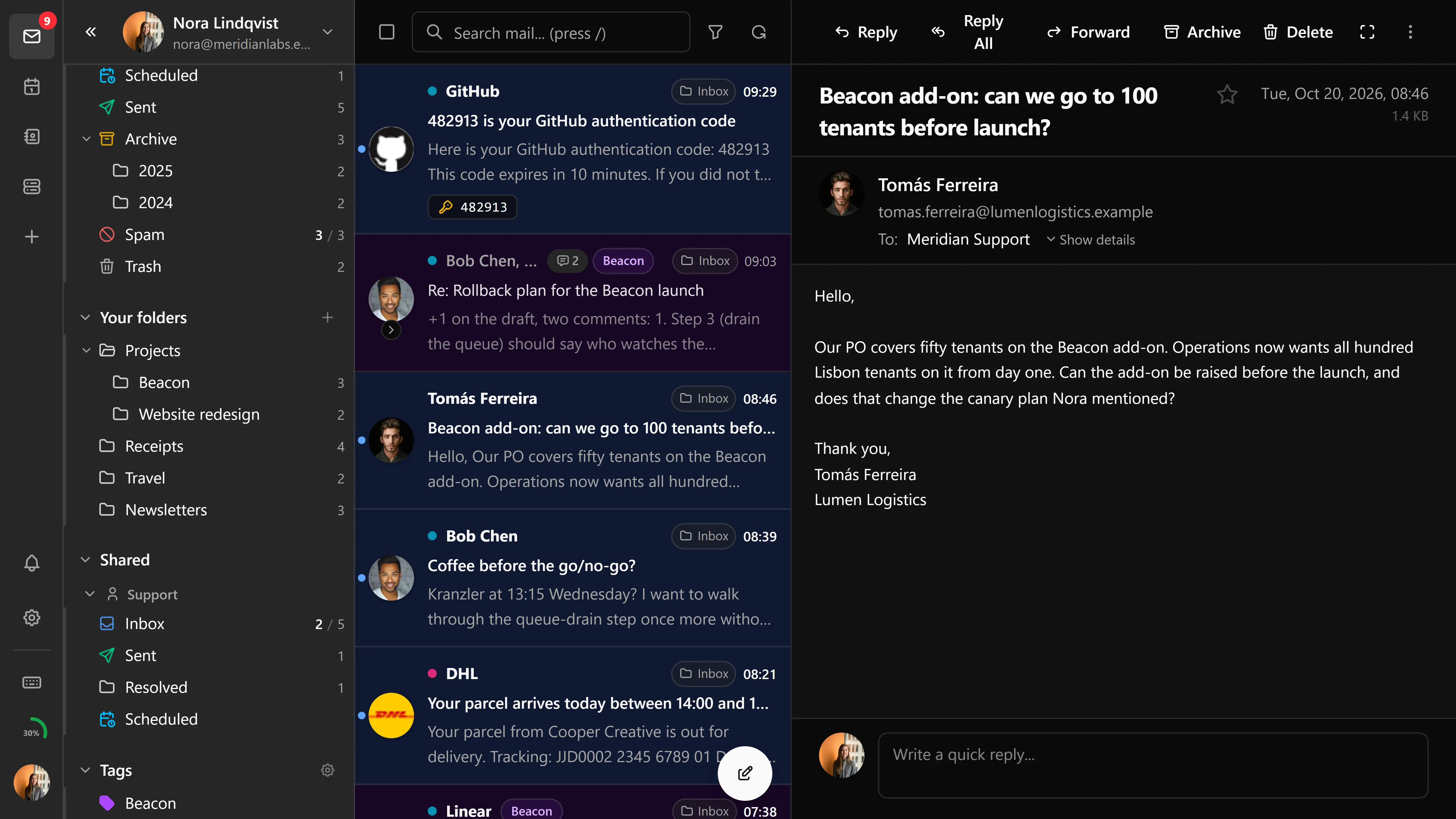
Folders shared with one account are surfaced under that account in the sidebar. Shared account folder layouts mirror primary folders so navigation stays consistent.
Connection status
The account switcher shows each account as connected, reconnecting, or errored. When a connection drops, JMAP push reconnects on its own and whatever search or filter you had applied survives the reconnect.
Removing an account
From the account switcher → account context menu → Sign out. Removing an account purges its in-memory state, encrypted cookie, and any per-account settings stored under settings sync.
Account list backup
When the administrator turns on Account List Backup under Policy in the admin dashboard, users can keep the list of accounts in their browser on the Bulwark server and bring it back on another device. The list is encrypted in the browser with a backup password the user picks, at least 10 characters long, which can't be recovered. Save, restore and delete it under Settings → Account → Account list backup.
Mailbox passwords aren't saved, so after a restore you sign in to each new account from the account list. With Account List Backup: Passwords also on, users can include the passwords of accounts that signed in with one, and those accounts then sign in by themselves after a restore. Anyone who learns the backup password gets into every mailbox in that list.
Signing in on a browser that knows no other account, with a list saved for that account, opens a dialog that asks for the backup password and restores the list. Not now hides the offer for that account in this browser; the restore stays in Settings.
The lists are stored in SETTINGS_DATA_DIR/account-archives, and the feature needs a session secret.
Identities versus accounts
Accounts and sender identities are separate:
- Accounts are full mailboxes with their own JMAP session.
- Identities are aliases under a single account - for example, a single Stalwart account with
you@personal.comandyou@work.comaliases configured. Identities have per-identity signatures and selectable from the composer.
You can use both: multiple accounts, each with multiple identities.
Sub-addressing
Identities support sub-addressing (user+tag@domain.com). When composing a reply, Bulwark suggests contextual tags based on the recipient. Sub-addressing also works with auto-select reply identity. The delimiter character is configurable in mail settings (defaults to +, supports other commonly used separators like - for compatibility with mail servers that don't use +).
Limits and performance
- Maximum accounts - No hard cap on HTTP/2 servers; bounded by the browser's per-origin connection pool on HTTP/1.1 (typically 6 parallel push streams).
- Push connections - One JMAP push stream per account, established lazily on first switch and multiplexed when the server supports HTTP/2.
- Session cookie size - Per-account encrypted state fits within typical cookie size limits; very large refresh tokens may require server-side session storage. Each account gets its own
cookieSlotso OAuth flows don't clobber each other.
Troubleshooting
Account is removed unexpectedly
If the session secret changes between deployments, all encrypted account cookies become unreadable and accounts are dropped. Keep the admin state directory on a persistent volume, or set a stable secret yourself (e.g., via Docker secrets or SESSION_SECRET_FILE).
After the mail server moved from Stalwart 0.16 to 1.0, accounts that signed in with single sign-on or with a two-factor code drop out of the list, because their tokens weren't migrated. Add them again. See Upgrading to Stalwart 1.0.
"Stale account" warning
Bulwark detects accounts whose JMAP session is no longer valid (password changed, OAuth refresh token revoked, account deleted on the server) and prompts re-authentication on next switch.
Mailbox tree appears empty
On first login Bulwark retries mailbox fetch to handle Stalwart's lazy provisioning of new accounts. If you still see an empty tree, check the JMAP server logs for permission errors.