Installation
There are two ways to configure Bulwark: the web setup wizard, which is right for a fresh install, or environment variables, which is right when the config has to be immutable or checked into a repository. This page covers getting to the point where either one applies.
If you want no server process at all, skip this page: Bulwark Lite is the same client as a folder of static files, and its own install is three steps on the static hosting page.
Prerequisites
- A running Stalwart Mail Server with JMAP enabled, or the built-in demo backend if you're only poking at the UI. Bulwark needs Stalwart 0.16.6 or newer, and Stalwart 1.0 needs Bulwark 1.18.0 or newer (supported versions). No Stalwart yet? Follow the official installation guide, then Stalwart setup for the Bulwark-specific parts.
- Node.js 20 or later, for a manual install only. The Docker image ships its own Node 24 runtime, so ignore this if you're using the container.
Quickest path: Docker + setup wizard
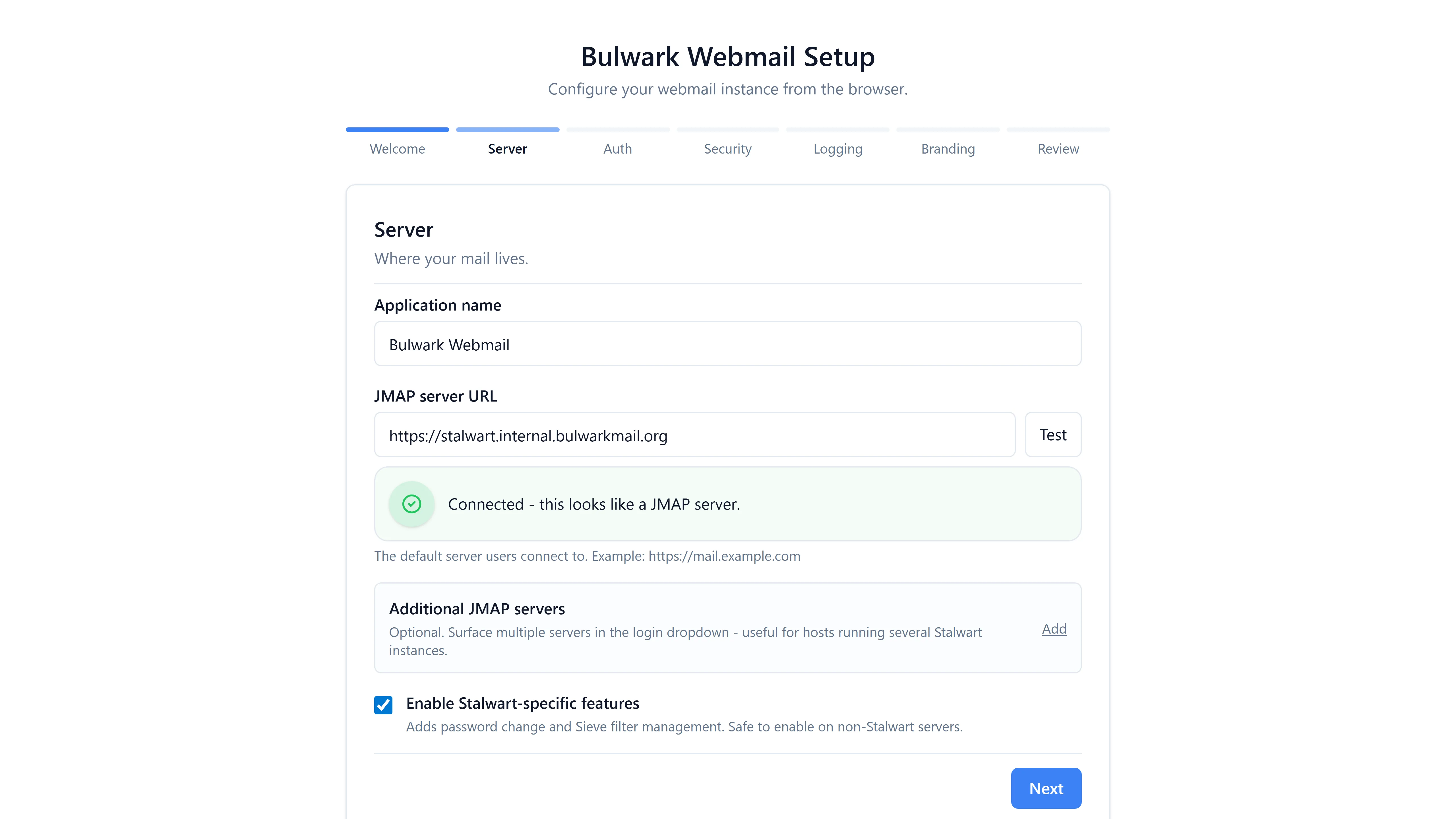
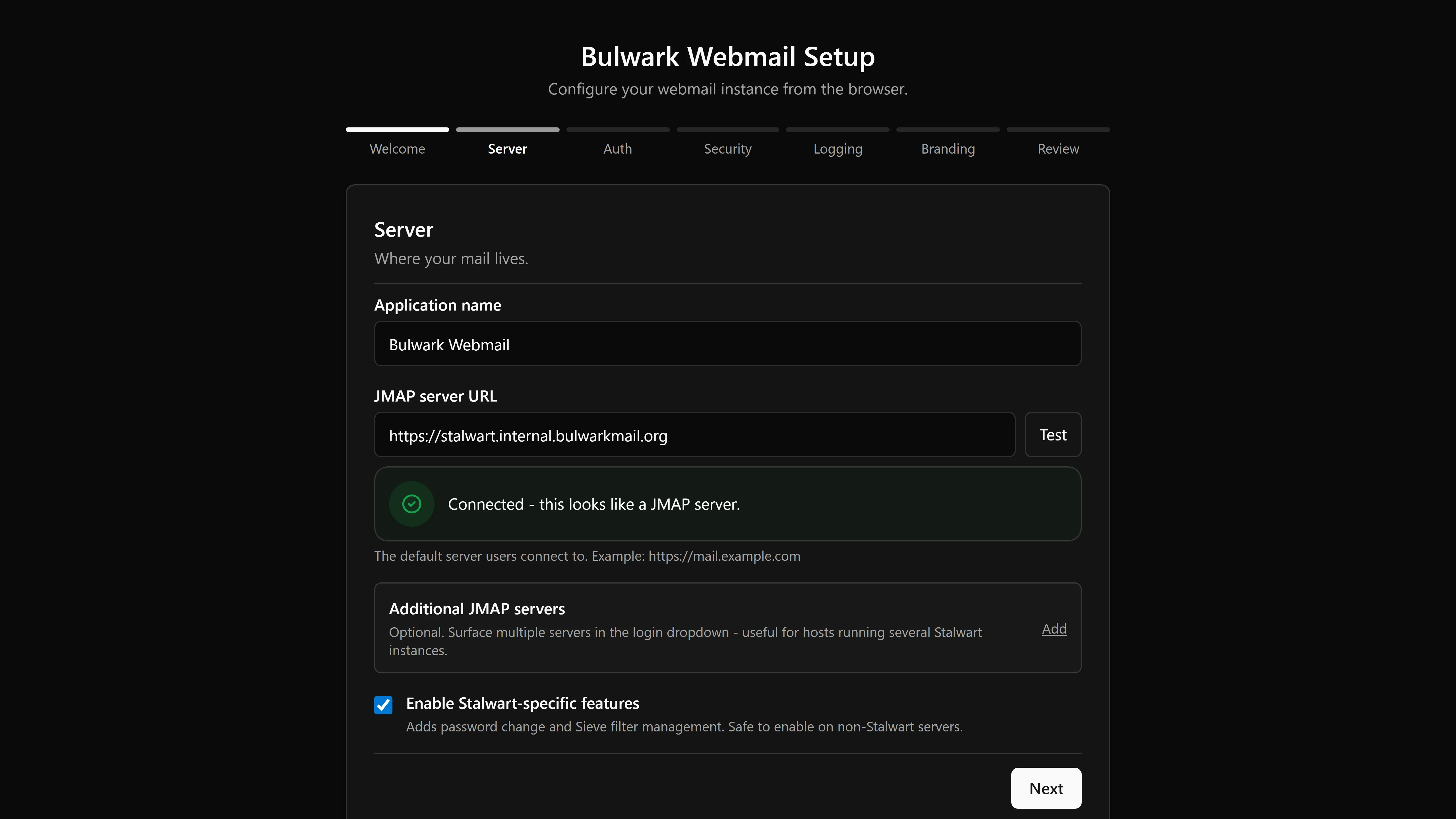
The published Docker image is the shortest route to a working inbox, and there is nothing to write to .env.local first.
docker run -d -p 3000:3000 --name bulwark \
  -v bulwark-config:/app/data/admin \
  -v bulwark-state:/app/data/admin-state \
  ghcr.io/bulwarkmail/webmail:latest
Open http://localhost:3000 and the setup wizard takes seven steps:
| Step | What it does |
|---|---|
| Welcome | Confirms the app can write to its config directory |
| Server | Probes one or more JMAP endpoints, optionally auto-picking by email domain, and toggles the Stalwart-specific features |
| Auth | Runs OAuth2 / OIDC discovery and validates it, or falls back to basic auth |
| Security | Generates or accepts a SESSION_SECRET and offers settings sync |
| Logging | Text or JSON, and a log level |
| Branding | Uploads for the favicon, app logos, and login logos, plus company and legal URLs |
| Review | A grouped summary, the admin password, and an option to drop a .config-locked marker so the config volume can be remounted read-only |
The wizard writes to ADMIN_CONFIG_DIR (/app/data/admin in the container). Setting JMAP_SERVER_URL in the environment skips the wizard entirely and hands configuration to the environment.
Script install
An interactive shell installer still ships in the repository for hosts that already run Node and would rather not use Docker. It is no longer the recommended path, and the README no longer documents it, but it works:
curl -fsSL https://bulwarkmail.org/install | bash
Read it before you pipe it into a shell, as you would with any install script. It also has a preview mode that changes nothing:
bash setup.sh --dry-run
Manual install
Every release also attaches a prebuilt standalone tarball (bulwark-standalone-<version>-linux-amd64.tar.gz and -arm64) to the GitHub release, which skips the clone and build below: unpack it and run node server.js. The manual deployment page has the service file.
1. Clone the repository
git clone https://github.com/bulwarkmail/webmail.git
cd webmail
2. Install dependencies
npm install
3. Pre-seed the environment (optional)
You can skip this step and let the setup wizard configure the install on first launch. Only set environment variables when you want env-driven, immutable configuration:
cp .env.example .env.local
Edit .env.local and set at minimum:
JMAP_SERVER_URL=https://your-stalwart-server.com
APP_NAME=Bulwark
Environment variables are read at runtime, so you can reconfigure Docker deployments without rebuilding. When JMAP_SERVER_URL is set, the setup wizard is hidden.
4. Start the server
npm run build
npm start
Open http://localhost:3000 in your browser. If no JMAP_SERVER_URL is set, the setup wizard will walk you through the rest.
Developing without a mail server
To work on the UI with no mail server anywhere in sight, use demo mode:
cp .env.dev.example .env.local
npm run dev
Log in with any username and password. Fixture data fills every screen. Demo mode covers what's in the fixtures and what it deliberately doesn't do.
Production build
npm run build
npm start
The production server starts on port 3000 by default. Use the PORT environment variable to change it:
PORT=8080 npm start
Updating
For a source install:
git pull origin main
npm install
npm run build
Bulwark checks for a newer release at startup and shows an update notice in the app when one exists; a release that fixes a security advisory is flagged in red. Release channels, container upgrades, and which directories have to persist are on the Updating page.