Docs / GuidesEdit on GitHub
Keyboard shortcuts
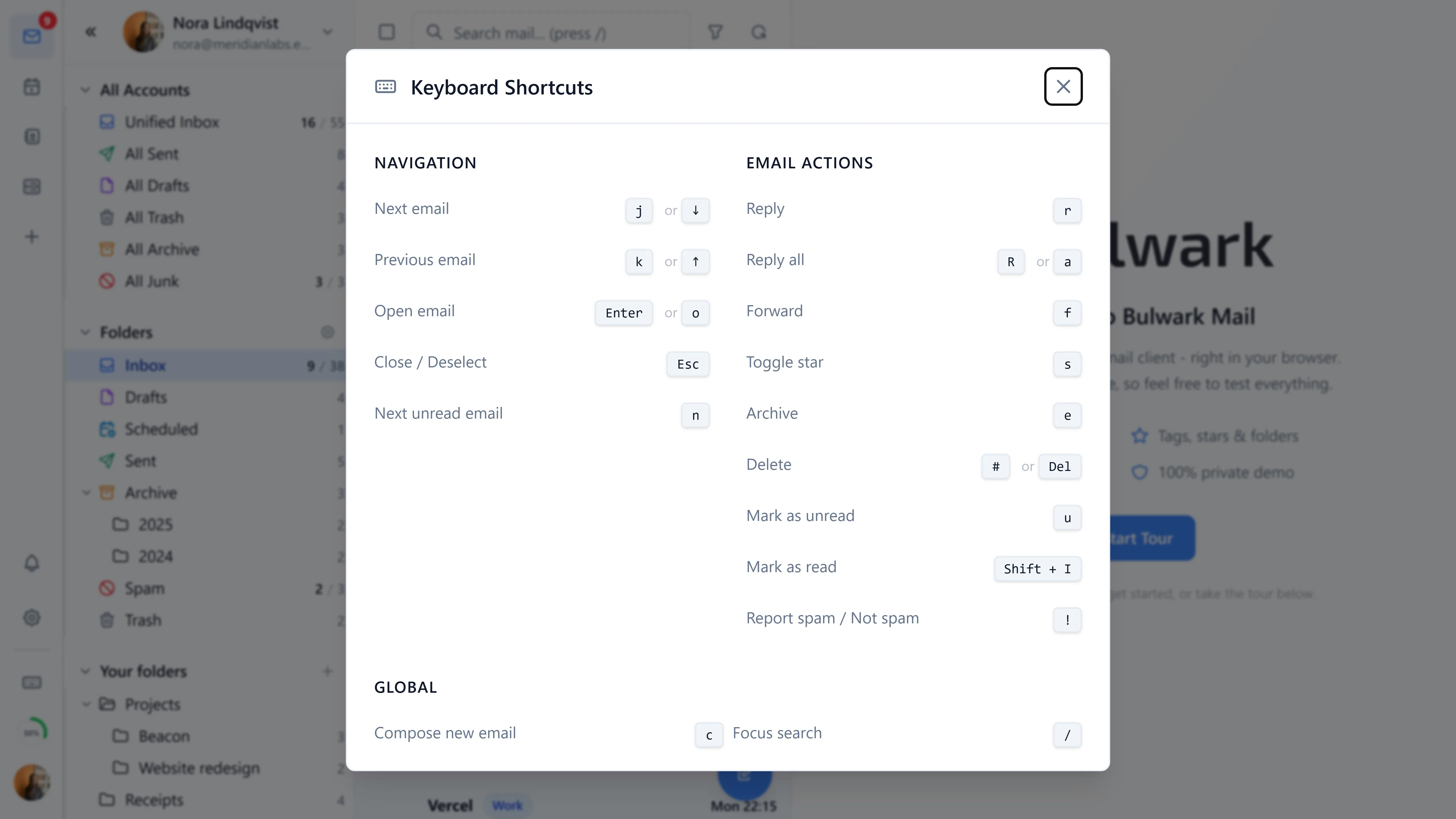
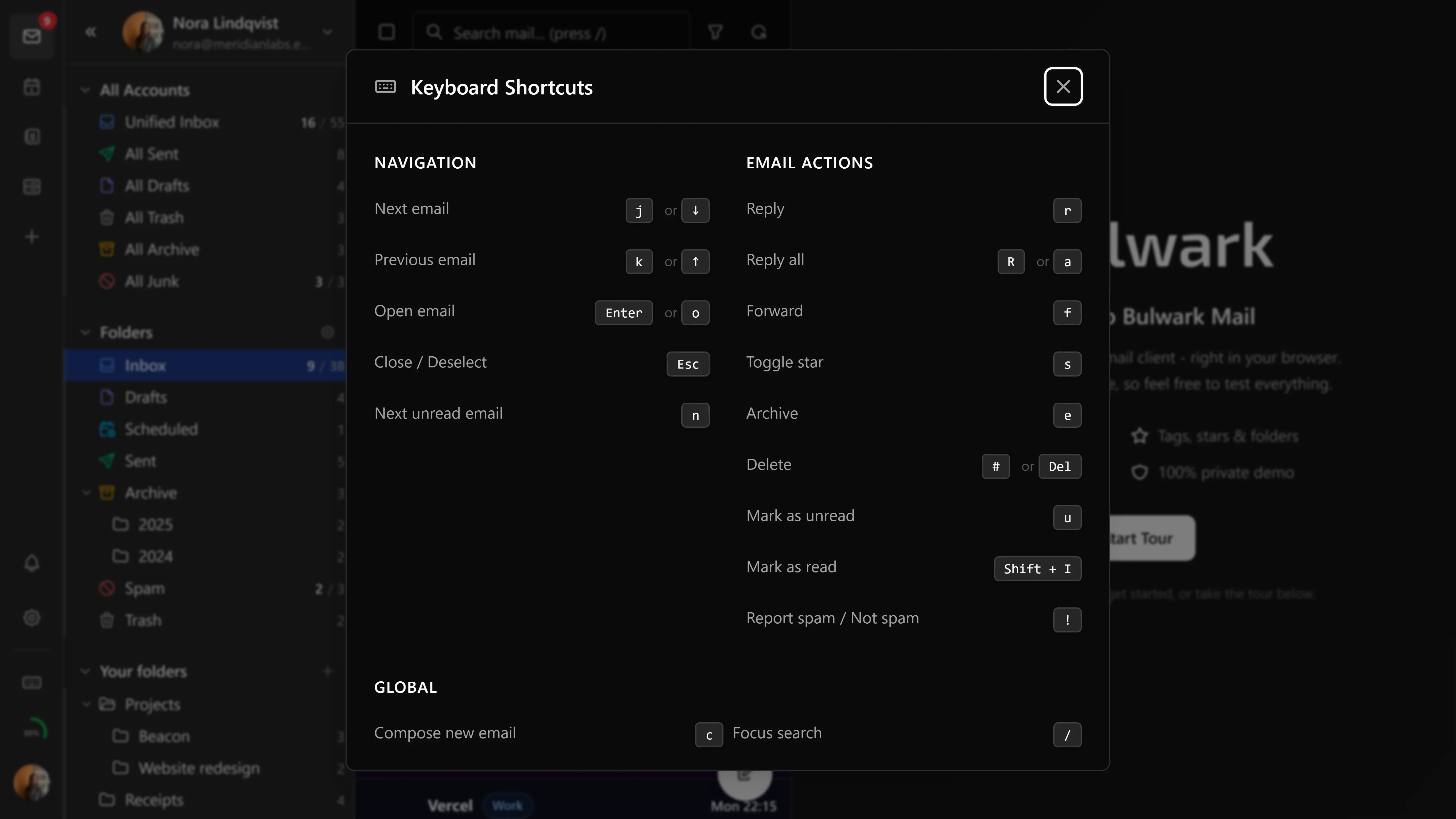
Press ? anywhere in the app for the shortcuts overlay. The same list, for reference.
Single-letter shortcuts only fire when focus isn't in a text field, so typing a subject line never triggers an archive.
Global
| Shortcut | Action |
|---|---|
c | Compose new email |
/ | Focus search |
? | Show keyboard shortcuts |
Shift+G | Refresh emails |
Ctrl+A | Select all |
Esc | Close overlay / deselect |
Navigation
| Shortcut | Action |
|---|---|
j / ↓ | Next email |
k / ↑ | Previous email |
Enter / o | Open email |
Email actions
| Shortcut | Action |
|---|---|
r | Reply |
R / a | Reply all |
f | Forward |
s | Toggle star |
e | Archive |
# / Del | Delete |
u | Mark as unread |
Shift+I | Mark as read |
! | Report spam / not spam |
Threads
| Shortcut | Action |
|---|---|
x | Expand/collapse thread |
Composer
| Shortcut | Action |
|---|---|
t | Open template picker |
Ctrl/Cmd+Enter | Send |
Ctrl/Cmd+Shift+Enter | Schedule send |
Esc | Close the composer |
Drafts save themselves on a timer (a minute by default, adjustable in settings), so there is no save-draft key to press.
The calendar has no view-switching shortcuts. Use the toolbar or the view picker.